Securing Your Digital Assets: A Proactive Guide for Business Owners
At Blue Moon Marketing, the security and integrity of our clients’ digital presence are our top priorities. While we focus on driving growth and engagement, we believe that robust security is the foundation of any successful marketing strategy. We’ve published our full digital security guide here so you can easily access the same rigorous standards we use to protect all our clients.
Cyber attacks and unauthorised account takeovers are increasingly common in 2026, and proactive management of your Facebook and Google Ads accounts is the best way to stay protected.
Here is how you can take back control and secure your business accounts today.
Our Philosophy: Enhance, Not Replace
The way we think about AI is simple: it is a tool that makes our specialists more powerful, not a shortcut that replaces their expertise.
Think of it like a surgeon using advanced imaging technology. The tech doesn’t perform the surgery, but it helps the surgeon see more clearly, move more precisely, and deliver a better result for the patient.
Every AI-assisted output at BMM is reviewed, refined, and approved by a human specialist before it ever reaches you. The strategy, the judgement, and the accountability will always sit with our team.
Auditing Your Facebook Page Access
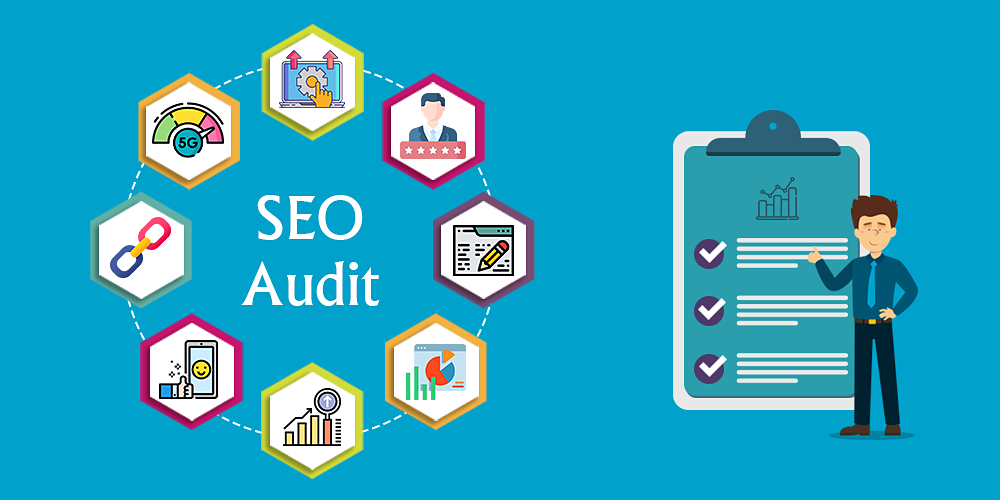
If former employees, past agencies, or unrecognised users still have access to your Facebook Page, your data and reputation are at risk. We recommend a regular “clean-up” of your Page Roles.
How to Remove Unauthorised Users:
- Log In and Switch Profiles: Go to facebook.com and log in. Click your profile photo in the top right and switch to your Business Page.
- Navigate to Settings: Click Settings in the left-hand menu. Select New Pages Experience and then Page Access.
- Review the List: Carefully check every name listed. If you don’t recognise someone or they no longer work with your business, they must be removed.
- Remove Access: Click the three dots or the Remove button next to the name and confirm.
The Blue Moon Standard:
To keep things secure and streamlined, the only person from our team who should have Admin access to your Facebook Page is Nishita Khatter. If you see other names associated with Blue Moon Marketing, they may be former team members with legacy access—please remove them and let us know.
Securing Your Google Ads Account
Unauthorised access to Google Ads can lead to fraudulent spending and data loss. It is essential to audit who can view and manage your ad spend.
Steps to Audit Google Ads Access:
- Sign In: Visit ads.google.com and ensure you are in the correct account.
- Access User Management: Click the Admin (spanner/wrench) icon in the top right and select Access and Security.
- Review Users: Look through the list of users and their access levels. Remove anyone who is no longer an active partner or employee by clicking Remove Access.
- Check Manager Accounts: Click the Managers tab. This shows which agencies (Manager Accounts) are linked.
Note: Blue Moon Marketing manages your account through our official Manager Account. If you are unsure which link belongs to us, please reach out before making changes.

The Power of Two-Factor Authentication (2FA)
If there is one thing you do today to protect your business, let it be enabling Two-Factor Authentication (2FA). This adds a critical second layer of security; even if a bad actor discovers your password, they cannot enter without a unique code from your mobile device.
How to Enable 2FA on Key Platforms:
- Google / Gmail: Go to myaccount.google.com > Security > 2-Step Verification. Follow the prompts to link your mobile.
- Facebook: Go to Settings & Privacy > Settings > Security and Login. Look for Two-Factor Authentication and click Edit.
- Outlook / Microsoft: Visit account.microsoft.com > Security > Advanced Security Options and turn on Two-step verification.
Pro Tip: Use an Authenticator App
For the highest level of security, we recommend using Google Authenticator or Microsoft Authenticator rather than SMS codes. These apps are more secure against “SIM-swapping” attacks and work even when you don’t have a mobile signal.
Your Security Checklist
Use this quick list to ensure your business is protected:
- Reviewed all users on my Facebook Business Page.
- Confirmed Nishita Khatter is the only Blue Moon Marketing Admin.
- Audited Google Ads “Access and Security” settings.
- Enabled 2FA on my primary business and personal emails.
- Enabled 2FA on my Facebook and Google accounts.
- Downloaded an Authenticator app for secure logins.
Partnering for Your Protection
At Blue Moon Marketing, we take these measures because we value the trust you place in us. By keeping your account access “lean” and your security settings high, we can focus on what we do best—growing your business.
Questions about your account security?
We are here to help. Reach out to your account manager if you need assistance with your digital audit.